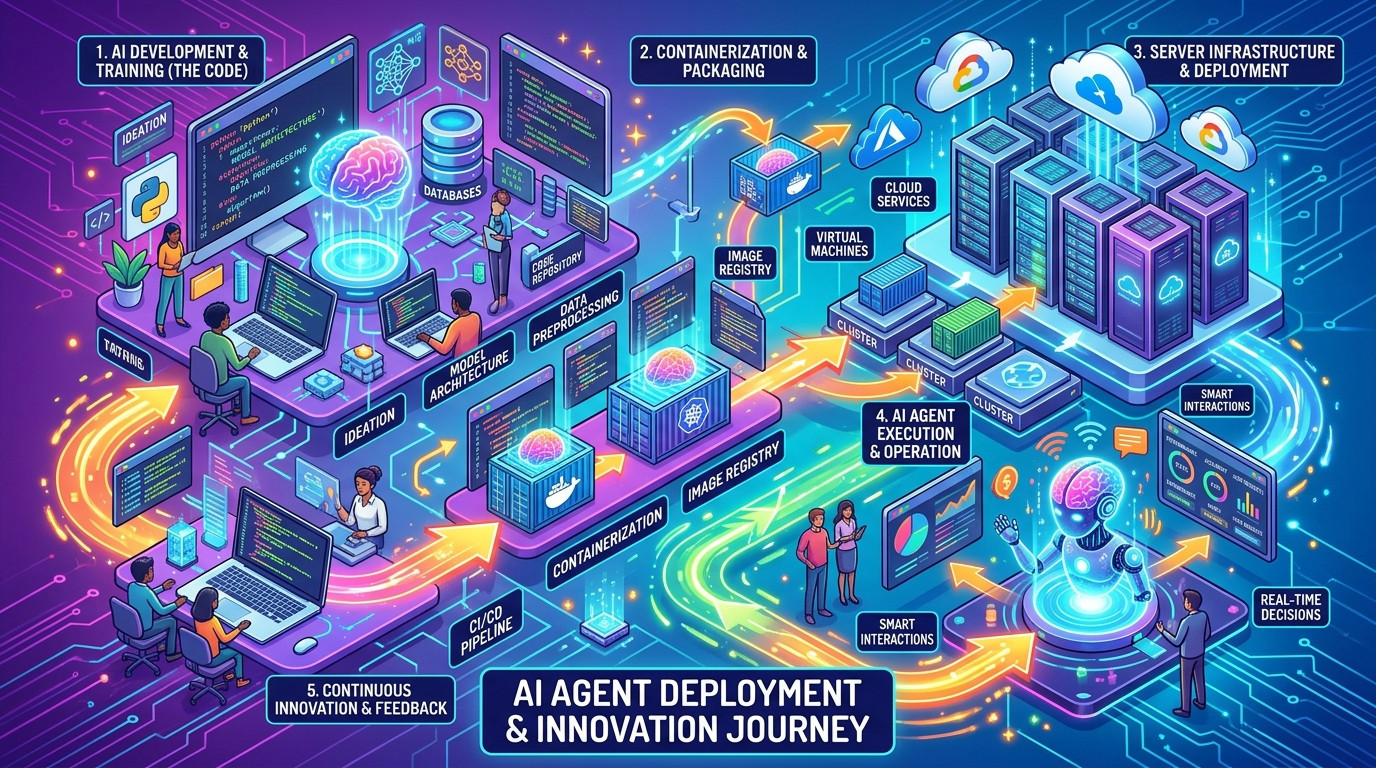
OpenClaw: My Trials and Tribulations Deploying an AI Agent (and Why You Should Try It Too)
OpenClaw: My Trials and Tribulations Deploying an AI Agent (and Why You Should Try It Too)
Hey everyone, Dev here. You know me as a Head of SDR, a guy who lives and breathes sales. What you might not know is that lately, I’ve been dabbling in something a little… different. I’ve been trying to deploy an open-source AI agent called OpenClaw on a VPS. And let me tell you, as someone who’s definitely not a developer, it’s been a wild ride. But if I can do it, trust me, anyone can.
What the Heck is OpenClaw and Why Did I Bother?
So, what is OpenClaw? Imagine an AI assistant that doesn’t just answer your questions, but actually does things. It’s a self-hosted gateway that connects your chat apps – WhatsApp, Telegram, you name it – to AI coding agents. It can clear your inbox, manage your calendar, send emails, even check you in for flights. All from your phone, without giving up control of your data to some big tech company. Pretty cool, right?
As a sales leader, I’m always looking for ways to be more efficient, to automate the mundane so I can focus on the strategic. The idea of a personal AI assistant that could handle administrative tasks, learn my routines, and essentially be my digital right-hand man, was incredibly appealing. And the open-source aspect meant I could tinker with it, even if I didn’t fully understand the code. It was a challenge, and I love a good challenge.
The VPS Gauntlet: Hostinger, Hetzner, and Digital Ocean
My journey began with choosing a Virtual Private Server (VPS) to host OpenClaw. I figured, if I’m going to run my own AI, it needs its own home. I tried three different providers, each with its own set of surprises.
Hostinger: The Allure of Easy and Cheap
Hostinger was my first stop. The promise of easy, one-click deployment and a low price point was incredibly appealing. And for a while, it seemed like a dream. There are plenty of tutorials out there, some even promising a 17-minute setup. I got OpenClaw up and running relatively quickly, which was a huge win for my confidence.
The Struggle: The honeymoon didn’t last. I started experiencing what felt like random freezes, where OpenClaw would just stop responding. I’d run openclaw doctor (which, by the way, became my new best friend), and sometimes it would fix things, sometimes not. I later learned that some of the lower-tier Hostinger VPS plans might not have enough juice to keep OpenClaw consistently happy. It was frustrating, feeling like I was constantly babysitting the server.
The Surprise: How quickly I could get something working. Even with the issues, the initial setup was surprisingly straightforward thanks to their Docker templates. It gave me a taste of success and kept me going.
Hetzner: The Community Favorite, The Technical Hurdle
Next, I moved to Hetzner. The online communities raved about Hetzner’s performance and price. I felt like I was leveling up, moving to a more “pro” option. Their CX23 plan, with its solid specs for a great price, seemed like the perfect fit.
The Struggle: Hetzner was a different beast. There were no one-click Docker templates here. It was all command line, all the time. I spent hours wrestling with SSH, trying to understand firewall rules, and figuring out how to get Node.js 22+ installed when the default was an older version. The documentation was good, but it assumed a level of technical understanding I simply didn’t have. I made a lot of mistakes, and there were moments I seriously considered giving up.
The Surprise: The sheer power and stability once I got it working. OpenClaw ran like a dream on Hetzner. No freezes, no random disconnects. It felt robust and reliable. The learning curve was steep, but the reward was a much more stable environment.
Digital Ocean: The Reliable Workhorse
Finally, I gave Digital Ocean a shot. I’d heard good things about their ease of use and developer-friendly platform. They have a 1-Click Application Deploy for OpenClaw, which sounded like music to my ears after the Hetzner experience.
The Struggle: Honestly, not many struggles here. The biggest struggle was probably just the slight increase in price compared to Hostinger or Hetzner, but for the peace of mind, it was worth it.
The Surprise: How easy it was. It truly was a “set it and forget it” experience. OpenClaw just worked, and it worked well. The Digital Ocean documentation and community support were also excellent, which made troubleshooting any minor issues a breeze.
My Honest Take: What Worked, What Didn’t, What Was Confusing
So, after all that, what’s the verdict? Here’s my honest, no-fluff assessment:
What Worked:
- The
openclaw onboardwizard: This thing is a lifesaver for non-technical folks. It guides you through the initial setup and makes the process much less intimidating. - Digital Ocean’s 1-Click deployment: If you want to get OpenClaw running with minimal fuss, this is the way to go. It just works.
- The power of a self-hosted AI: Having an AI assistant that’s truly yours, that you control, is incredibly empowering. It’s a game-changer for productivity.
- The OpenClaw community: When I did get stuck, the online forums and Discord channels were surprisingly helpful. People are genuinely enthusiastic about this project.
What Didn’t Work (or was a pain):
- Hostinger’s lower-tier VPS plans: While cheap, they just didn’t seem to have the horsepower for consistent OpenClaw operation. You get what you pay for, I guess.
- Node.js version mismatches: This was a recurring headache. OpenClaw needs Node 22+, and many VPS images come with older versions. Upgrading Node.js manually is not for the faint of heart.
- WhatsApp pairing on a remote server: Getting the QR code to scan correctly when you’re SSH’d into a server is a bit of a dance. It requires some patience and often a second device.
- Firewall configurations: Understanding which ports to open and why was a steep learning curve. It’s easy to get overwhelmed.
What Was Confusing:
- Error messages: As mentioned, they can be cryptic. Learning to Google the exact error message was a skill I quickly developed.
- The sheer number of options: From different VPS providers to various OpenClaw configurations, it can be overwhelming to decide where to start.
- Understanding the underlying architecture: As a non-technical person, grasping how all the pieces (Gateway, agents, channels, tools) fit together took some time.
Tips for Other Non-Technical People Who Want to Try
If my journey has inspired you to try deploying your own OpenClaw instance, here are a few tips from one non-technical person to another:
- Start with a clear goal: What do you want OpenClaw to do for you? This will help you stay focused when you hit roadblocks.
- Don’t be afraid to break things: It’s a learning process. You can always spin up a new VPS if you mess up too badly.
- Use the
openclaw onboardwizard: Seriously, it’s there for a reason. It simplifies a lot of the initial setup. - Check your Node.js version: Before you do anything else, make sure your VPS has Node 22+ installed. If not, find a guide on how to upgrade it.
- Embrace the command line: It looks scary, but it’s just a way to talk to your server. Start with simple commands and build up your confidence.
- Port 18789 is your friend: Remember to open it in your firewall settings so you can access the OpenClaw dashboard.
- Join the community: There are forums, Discord servers, and subreddits dedicated to OpenClaw. Don’t be afraid to ask for help.
- Digital Ocean is a great starting point: While a bit pricier, their ease of use and reliable performance make it a solid choice for beginners.
If I Can Do It, You Can Do It
Look, I’m a sales guy. My comfort zone is CRM, not CLI. But the satisfaction of getting OpenClaw up and running, and seeing it actually work, was immense. It’s a powerful tool, and the process of deploying it, even with all the headaches, taught me a ton. So, if you’ve been curious about AI agents but felt intimidated by the technical side, take it from me: jump in. The water’s fine, and the rewards are worth the occasional splash.
Happy deploying!
— Dev